
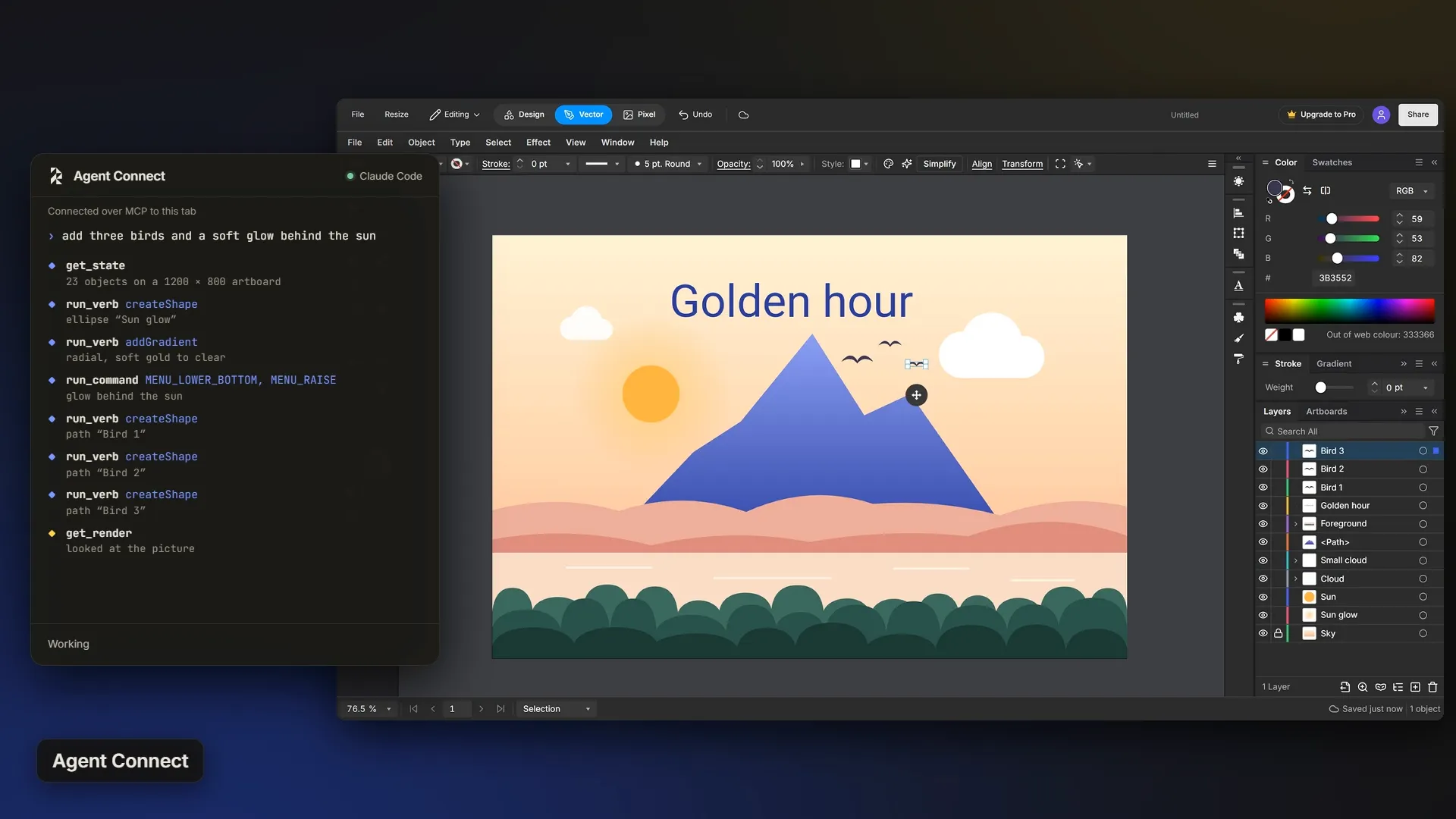
What Agent Connect is
Agent Connect is the link between an agent you already use and the editor tab in front of you. It speaks MCP, the protocol coding agents use to call outside tools, so Claude Code, Codex and other MCP clients can all use it.
A small server runs on your own computer: a single Node file with no packages to install. The agent talks to it, and the editor connects to it on 127.0.0.1, so the link never leaves your machine.
What the agent can do
- Read the page: the selection, every object with its bounds and paint, the active tool and the document size.
- See its own work: a picture of the canvas comes back to the agent, so it can check what it drew.
- Learn the editor: a catalogue of high-level actions with their settings, every editor command, the effects and the tools.
- Make and change artwork: shapes, text, type on a path, gradients, blends, warps and live effects.
- Use the Rayzia stock: search graphics, icons, photos and templates, look at a contact sheet of them, and place one at an exact size as a real object. Premium items need Pro or the trial.
- Draw with the real tools: Pen paths and freehand strokes.
- Run any editor command by name, and read the document back as SVG.
- Take requests from the editor: type in the editor's chat panel, and the agent picks it up, works on the canvas and answers there.
Every change stays yours
What the agent makes is ordinary vector artwork in your document: paths with nodes you can move, real text, live gradients. Keep editing it by hand like anything you drew. Each action is one undo step, and a batch of steps is one undo too, so a wrong turn is one Ctrl+Z away.
Private by design
- The server listens on 127.0.0.1 only, so nothing outside your computer can reach it.
- Every request carries a key made once for your browser, and the editor refuses a request without it.
- The agent cannot open, save, import or export files, or start a new document.
- Nothing happens until you press Connect in the editor, and you can disconnect at any time.
Connect in four steps
- Start Pro or the 14-day trial. The trial needs no credit card.
- In the editor, open the settings of the chat panel and choose Claude Code (local).
- Copy the skill it writes. It holds the server, your key and the port. Give it to Claude Code, which saves the server and adds it as an MCP server.
- Press Connect. When the dot turns green, ask Claude Code for a drawing, or type your request in the chat panel.
Codex and other MCP clients use the same server file through their own MCP settings. The setup guide has every step and the full list of tools.
Part of Pro
Agent Connect is part of Rayzia Pro, $8 a month or $72 a year, and of the 14-day trial. The agent itself runs on your own account with its maker, and Rayzia adds no charge on top of Pro.
Questions about Agent Connect
What does Agent Connect do?
It links an MCP agent such as Claude Code or Codex to the Rayzia editor in your browser. The agent reads the page, draws with the editor's own tools, looks at the result and keeps going, and every change lands live in your document.
Which agents work with it?
Claude Code has a guided setup inside the editor. Codex and any other MCP client that can run a local server use the same server file through their MCP settings.
Can the agent touch my files?
No. The server only listens on your own computer, every request needs the key made for your browser, and the agent cannot open, save, import or export files. It works on the open document, and every step can be undone.
Do I need Pro?
Yes. Agent Connect is part of Pro and of the 14-day trial, which needs no credit card. When the trial ends the connection stops, and your files stay in your account.